Smartbooth.com / SMSCMD Send SMS via Windows Task Scheduler
The easiest way to send SMS automatically using Windows Task Scheduler. SMSCMD Download and unzip to a folder. Then create a task in Windows Task Scheduler to run smscmd.exe with your input files. Register now to get 5 free SMS to try. Purchase for SMS credits.
SMSCMD is a lightweight command-line tool that allows Windows servers or PCs to send SMS alerts automatically.
- No installation required. Run directly from command line.
- Password protected. Update email/password inside smscmdfile.txt, then run smscmd genkey to encrypt into smscmd.key to protect it.
- Update text or phone numbers easily by editing .txt files. No need to reopen Windows Task Scheduler when SMS text or phone numbers changed.
Create SMSCMD Task in Windows Task Scheduler
Press Win + R and type:
taskschd.msc
This will open the Windows Task Scheduler.
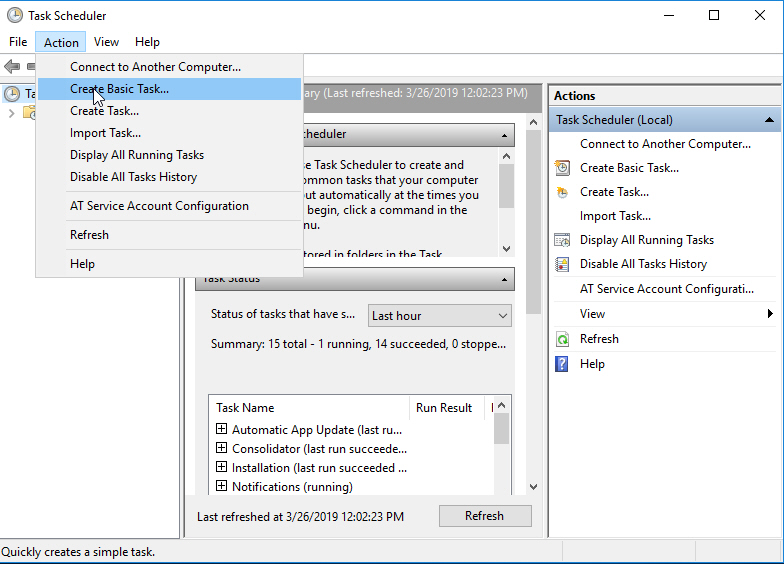
Step 1 Click "Create Basic Task"
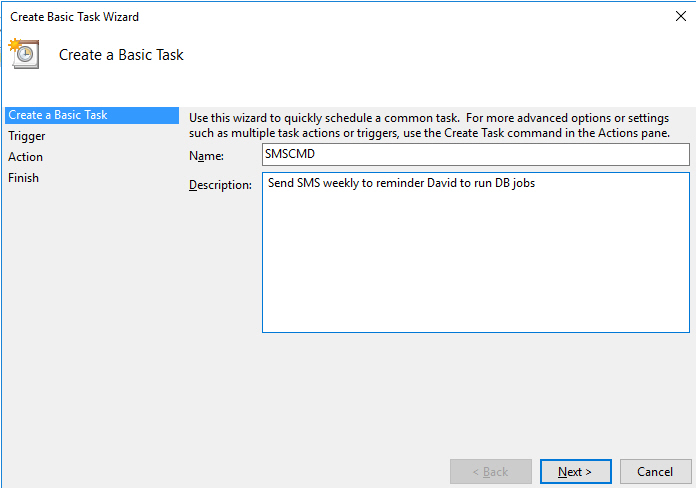
Step 2 Enter Task Name and Description
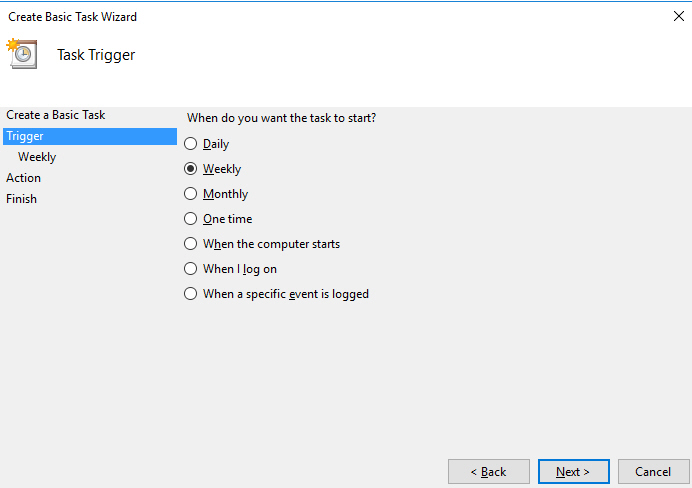
Step 3 Select Trigger (Daily / Weekly / Monthly)
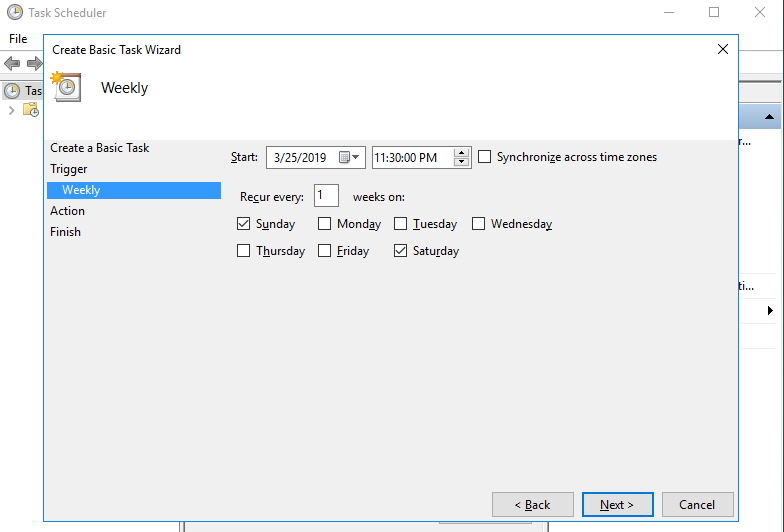
Step 4 Set the Schedule Time
Step 5 Choose "Start a Program"
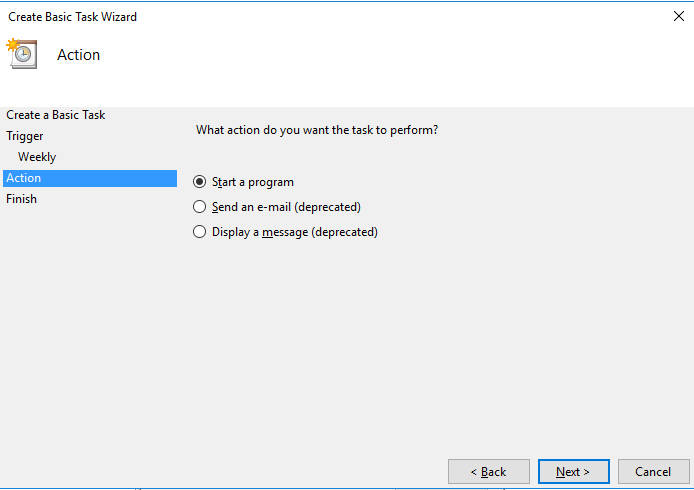
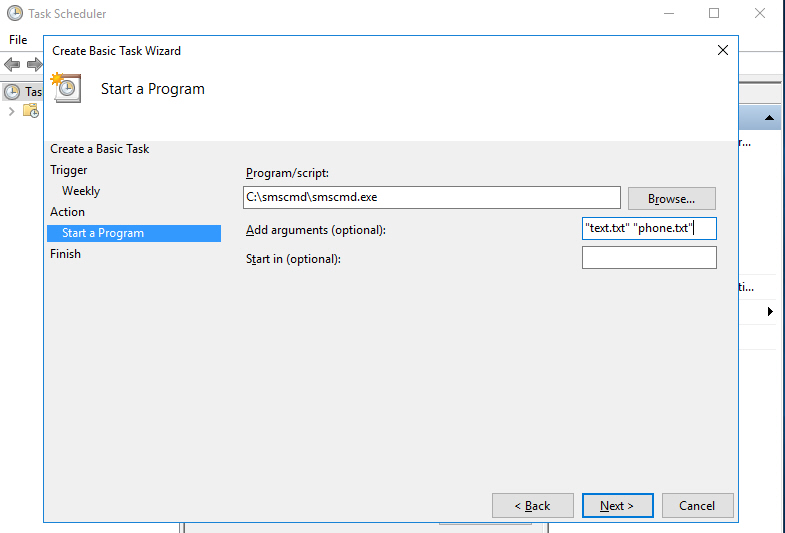
Step 6 Configure smscmd.exe and arguments
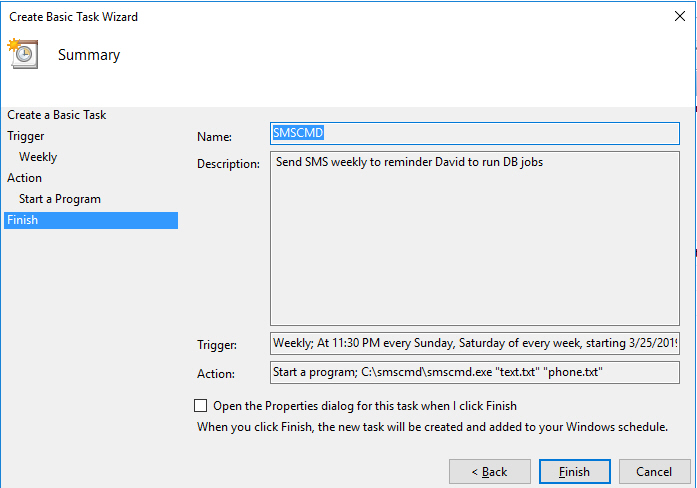
Step 7 Confirm the Task Configuration
Step 8 Manage the Task
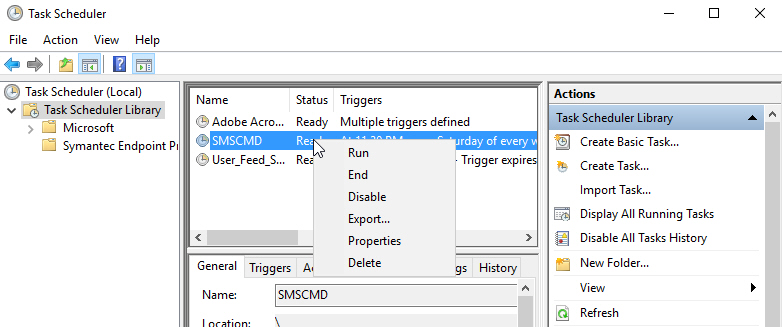
From Task Scheduler Library you can:
- Run the task
- Edit properties
- Delete the task
Sample Input Files (Used in Step 6)
Sample SMS message file text.txt
This is SMS text sent by SMSCMD using a text file input.
Maximum length: 155 characters.
Sample phone list file phone.txt
(Use "+" for international numbers)
9176091234,6102034321,6463391234,+5511970881234,
6469324321,+447849001234,3522841234,
+447527221234,7864731234
Main Differentiation: Customer Replies SMS-text and MMS-photos Go to Your Email Inbox (USA and Canada)
Not only SMS sending — customers can reply with text or pictures.
- ✓ SMS text reply forwarded to client email inbox
Your customer replies by SMS. Your support or sales team receives the reply in email with sender number, timestamp, reply text, and the last sent SMS for context. - ✓ MMS photo/picture reply forwarded to email
Customers can send delivery photos, ticket photos, receipts, screenshots, ID/license images, or other proof/evidence. MMS picture links are forwarded to your email inbox. - ✓ Block list management
Auto add into block list when STOP keyword is replied, helping you manage opt-out requests for USA/Canada messaging. - ✓ Member Send SMS & Check Reply SMS-text/MMS-photos from Web Panel after registration
Login from the website to send SMS, view SMS-text/MMS-photo reply logs, and manage your block list without using command line.